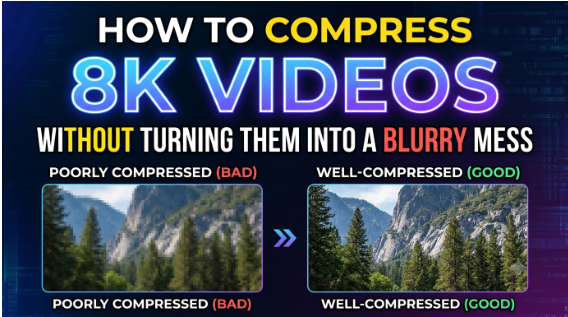

8K video delivers an incredible level of detail, but that detail comes with a major drawback: huge file sizes. An 8K recording can consume substantial storage space and may be difficult to upload, share, stream, or transfer. Compressing it can make the file much more manageable—but aggressive compression can quickly turn crisp footage into a blurry, blocky mess.
The key is to reduce unnecessary data without throwing away the visual information that makes 8K footage valuable.
A Free Online Video Compressor can simplify this process by allowing you to reduce video file size directly from your browser without installing complicated editing software. However, when working with 8K footage, choosing the right resolution, codec, compression level, and output format is essential.
In this guide, we’ll explain how to compress 8K videos while maintaining as much quality as possible.
Why Are 8K Video Files So Large?
8K UHD video typically has a resolution of 7680 × 4320 pixels, giving it four times as many pixels as 4K and sixteen times as many pixels as Full HD 1080p.
Every additional pixel contains visual information that needs to be processed and stored. High frame rates, HDR, 10-bit color, high bitrates, and complex scenes can make the files even larger.
For example, an 8K video recorded at 60 frames per second with HDR and a high-quality codec can require considerably more storage than an 8K video recorded at 24 or 30 fps.
This creates several practical problems:
- Large files consume storage quickly.
- Uploading videos takes longer.
- Cloud storage becomes more expensive.
- Sharing videos through online platforms may be difficult.
- Some platforms impose file-size restrictions.
- Editing and transferring large files requires more system resources.
Compression addresses these issues by reducing the amount of data required to store the video.
However, compression is not simply about making the file as small as possible. The objective should be to achieve the best balance between file size and visual quality.
Why 8K Compression Can Make Videos Look Blurry
Video compression removes information that the encoder considers unnecessary or less noticeable to the viewer. With moderate compression, these changes may be difficult to notice.
With excessive compression, however, the loss becomes obvious.
You may notice:
- Soft or smeared details
- Blocky artifacts
- Loss of texture
- Banding in skies and gradients
- Blurry motion
- Fine details disappearing
- Excessive noise reduction
- Color degradation
The problem becomes particularly visible in 8K footage because viewers often choose 8K specifically for its exceptional detail.
For this reason, the goal should not be maximum compression. Instead, aim for efficient compression with controlled quality loss.
What Is the Best Way to Compress an 8K Video?
The best approach depends on how you intend to use the video.
If you want to archive the original footage, preserving maximum quality may be more important than achieving a very small file size.
If you’re uploading the video to a website, sending it to someone, or sharing it on social media, a smaller file may be more important.
A practical 8K compression workflow involves these factors:
- Choose an efficient codec.
- Avoid unnecessary resolution changes.
- Select an appropriate bitrate.
- Preserve the original frame rate when possible.
- Maintain the appropriate color settings.
- Avoid repeated compression.
- Preview the compressed output before replacing the original.
Let’s examine each factor.
- Choose an Efficient Video Codec
The codec has a major influence on both file size and quality.
Traditional H.264 remains highly compatible with devices and platforms, but newer codecs such as H.265/HEVC and AV1 can provide greater compression efficiency.
HEVC is particularly useful when you want to reduce file size while retaining high-resolution detail. AV1 can also deliver strong compression efficiency, although compatibility and encoding requirements vary by device and workflow.
Research comparing modern codecs has found that AV1 and HEVC can achieve comparable visual quality at substantially lower bitrates than H.264, although the actual savings depend on the content, encoder, quality target, and other settings.
A Free Online Video Compressor that supports efficient codecs can therefore be useful when your primary goal is reducing file size without unnecessarily sacrificing detail.
- Don’t Automatically Reduce 8K to 1080p
One of the easiest ways to make an 8K video smaller is to reduce its resolution.
But this isn’t always the best choice.
If you need the video specifically for an 8K display, professional editing, cropping, reframing, or future use, converting it to 1080p permanently removes a substantial amount of image information.
Instead, consider retaining the original 8K resolution while reducing bitrate through more efficient encoding.
On the other hand, if your final destination only needs Full HD, downscaling can produce a much smaller file without necessarily looking poor on a 1080p display.
The important question is:
Where will the compressed video be viewed?
Match the output resolution to the actual requirement rather than automatically choosing the smallest available setting.
- Get the Bitrate Right
Bitrate determines how much data is allocated to the video every second.
Too high, and the file remains unnecessarily large.
Too low, and compression artifacts become increasingly visible.
There is no single bitrate that works perfectly for every 8K video because factors such as frame rate, motion, lighting, texture, HDR, codec, and intended use all affect the result.
As a reference, YouTube currently recommends 80–160 Mbps for 8K SDR video at standard frame rates and 120–240 Mbps at high frame rates, while HDR 8K recommendations are higher. These figures are platform-specific upload recommendations rather than universal compression targets.
This illustrates an important principle: higher resolution does not automatically mean you need to multiply the bitrate by the same factor as the increase in pixels. More efficient codecs can represent high-resolution footage using fewer bits per pixel.
Therefore, experiment with compression settings instead of blindly selecting the lowest possible bitrate.
- Preserve the Frame Rate When Possible
Frame rate is another important consideration.
An 8K video recorded at 60 fps contains twice as many frames per second as one recorded at 30 fps. Consequently, high-frame-rate footage can require substantially more data.
If the original video is 60 fps and your final application requires smooth motion, reducing it to 30 fps may negatively affect the viewing experience.
However, if you’re preparing a video for a destination that doesn’t require 60 fps, reducing the frame rate may help lower the overall file size.
Before changing it, consider whether the footage contains:
- Fast camera movement
- Sports or action scenes
- Gaming footage
- Fast-moving subjects
- Slow-motion sequences
For these types of videos, retaining the original frame rate is generally preferable.
- Be Careful With HDR and 10-Bit Footage
Many modern 8K cameras capture HDR or 10-bit video.
These formats can preserve more color information and provide smoother gradients, but they can also increase processing and storage requirements.
If your final destination supports HDR, avoid converting the video to SDR simply to reduce file size.
If the destination only supports SDR, however, converting HDR footage appropriately may be necessary for compatibility.
YouTube’s current guidance, for example, recommends HEVC for HDR live streaming and distinguishes HDR encoding requirements from SDR workflows.
The key is to avoid unnecessary color conversions. Every additional processing stage can affect the final result.
- Avoid Compressing the Same Video Repeatedly
Repeated compression is one of the easiest ways to degrade video quality.
For example:
Original 8K → compressed → edited → compressed again → uploaded → re-encoded
Each lossy encoding stage can discard additional information.
Instead, maintain the highest-quality master file and create compressed versions from that original whenever possible.
A good workflow is:
Original master → edit → final master → compressed delivery copy
This gives you a high-quality source for creating different versions later.
How to Compress 8K Video Using a Free Online Video Compressor
If you don’t want to install desktop encoding software, an online tool can make the process considerably simpler.
Stellar’s Free Online Video Compressor is designed to reduce video file sizes online while retaining as much quality as possible. The tool supports multiple video formats and provides compression options through a browser-based workflow.
Step 1: Upload Your 8K Video
Start by uploading the 8K video you want to compress.
Before uploading, make sure you’re working with the original or highest-quality available version. Avoid using an already heavily compressed copy as your source.
Step 2: Select the Compression Options
Choose the appropriate compression settings according to your intended use.
If maintaining 8K resolution is important, avoid selecting a lower resolution simply to achieve a smaller file.
Instead, prioritize an efficient combination of codec, quality, and compression level.
Stellar’s online compressor supports multiple formats, including MP4, MOV, AVI, and WMV, among others. Its website also states that the tool uses codecs such as H.264, HEVC, and VP9 for compression.
Step 3: Preview the Result
Don’t judge the compressed video solely by its file size.
Preview it carefully.
Pay particular attention to:
- Fine textures
- Faces
- Hair
- Text
- Grass and foliage
- Shadows
- Fast movement
- Sky gradients
- Dark scenes
These areas can reveal compression artifacts that aren’t immediately noticeable in a thumbnail.
Step 4: Compare the Original and Compressed Versions
Place the original and compressed videos side by side if possible.
Ask yourself:
Can I see a meaningful quality difference at the intended viewing size?
If the compressed video looks almost identical while taking substantially less storage space, the settings are probably appropriate.
If details look smeared or motion appears blocky, use a less aggressive compression setting.
How Much Can You Compress an 8K Video?
There is no universal percentage because every video is different.
A static 8K interview with a relatively simple background can compress very differently from an 8K sports recording containing rapid movement, grass, crowds, and fine textures.
Even two videos with identical resolution can have dramatically different compression requirements.
For example, an 8K recording containing a static landscape may compress more efficiently than an action sequence with extensive motion.
Therefore, avoid rules such as “reduce every 8K video by 70%” or “use the lowest possible bitrate.”
Instead, determine the acceptable file size first and then test the resulting quality.
Common Mistakes to Avoid When Compressing 8K Videos
Choosing the smallest file size
The smallest file is not necessarily the best file. Extreme compression can destroy the detail that makes 8K footage valuable.
Using an outdated codec unnecessarily
If compatibility isn’t a concern, newer codecs can provide better compression efficiency than older formats.
Reducing resolution without considering the destination
Don’t convert 8K to 1080p simply because the resulting file is smaller. Consider how and where the video will be used.
Compressing multiple times
Repeated lossy encoding can progressively reduce quality.
Ignoring the original frame rate
Reducing frame rate can affect motion smoothness, especially in action footage.
Judging quality only from file size
A smaller file doesn’t automatically mean better compression. Always evaluate the visual result.
Free Online Video Compressor vs. Desktop Compression Software
A browser-based compressor is particularly useful when you want a quick solution without installing software.
A Free Online Video Compressor can be convenient for:
- Quick file-size reduction
- Sharing videos online
- Preparing files for uploads
- Compressing videos from different devices
- Occasional compression tasks
- Users who don’t want complicated encoding settings
Desktop encoding software may be more appropriate when you need highly granular control over codec parameters, multi-pass encoding, batch processing, or professional production workflows.
For everyday compression, however, an online tool can remove much of the technical complexity.
Final Thoughts
Compressing 8K video doesn’t have to mean sacrificing the detail that makes the footage special. The key is to treat compression as a quality-versus-size optimization problem, rather than simply trying to make the file as small as possible.
Use an efficient codec such as HEVC or AV1 when appropriate, select a sensible bitrate, preserve the frame rate when necessary, avoid unnecessary resolution reductions, and always preview the final output.
For quick browser-based compression, a Free Online Video Compressor such as Stellar can provide a straightforward workflow without requiring dedicated desktop software. Stellar’s tool offers format flexibility, browser-based processing, and compression options designed to reduce file size while minimizing quality compromise.
Most importantly, keep your original 8K master file. Your compressed copy should be treated as a delivery or sharing version—not a replacement for the source footage.
FAQs
- Can I compress an 8K video without losing quality?
You cannot guarantee zero quality loss when using lossy compression, but you can minimize visible degradation by using an efficient codec, an appropriate bitrate, and moderate compression settings. Always compare the output with the original before deleting or replacing your source file.
- What is the best codec for compressing 8K videos?
HEVC and AV1 are strong options for efficient 8K compression. AV1 can offer excellent compression efficiency, while HEVC generally has broader support across modern devices and workflows. The best choice depends on the destination platform and device compatibility.
- Should I reduce an 8K video to 4K to make it smaller?
Not necessarily. If you need the video for an 8K display, editing, cropping, or future production, retaining the original resolution may be preferable. If your final destination only requires 4K, downscaling can significantly reduce file size while still delivering high-quality footage.
- Why does my compressed 8K video look blurry?
The most common reasons are excessive compression, an overly low bitrate, repeated encoding, or inappropriate resolution settings. Try using a higher-quality compression setting and compare the output with the original footage.
- Is a Free Online Video Compressor suitable for large 8K files?
It can be convenient for compressing 8K videos without installing software, but the experience depends on the video’s size, your internet connection, and the capabilities of the particular service. For very large professional projects, desktop encoding software may provide greater control and workflow flexibility.